


MyFitnessPal is a comprehensive food and nutrition tracking application that allows users to log their meals, track macronutrients, and monitor their fitness progress efficiently. It boasts an extensive food database, which includes a wide variety of items, making it easier for users to find and log their meals accurately. The app offers flexible portion logging, enabling users to customize serving sizes according to their individual needs. Additionally, MyFitnessPal supports recipe import, which allows users to enter homemade meals into the system seamlessly.
For those who engage in physical activities, the app can synchronize with various devices to incorporate activity data, providing a more holistic view of one’s health. The free version of MyFitnessPal includes essential features suitable for most users, covering basic logging and tracking functionalities. However, the Premium subscription unlocks additional capabilities, such as advanced meal planning tools and detailed nutrient reports, which may be beneficial for individuals with specific dietary goals.
Healthcare professionals often commend MyFitnessPal for its reporting features, which can assist users in understanding their nutritional intake and progress over time. It’s worth noting that while many features are readily available in the free version, some advanced tools have transitioned to a paid model, which may limit access for users who opt not to subscribe.
In summary, MyFitnessPal facilitates meal tracking and nutritional management through its user-friendly interface, diverse features, and integration options, making it a valuable tool for those aiming to enhance their dietary habits and overall health.
What Makes the MyFitnessPal App Unique?
MyFitnessPal is distinguished primarily for its focus on tracking rather than providing coaching services. It features an extensive food database that is searchable, facilitating quick access to nutritional information. Users benefit from flexible logging tools, which allow for efficient and precise recording of calorie and nutrient intake. Among its key features are fast search capabilities, options for adjusting portions, and a premium barcode lookup function that enhances the calorie counting process.
For professionals who work with clients or lead groups, MyFitnessPal includes a progress tracker. This tool enables users to monitor trends and share objective updates without relying on subjective assessments. Additionally, the app’s macro tracker breaks down nutritional intake into three primary categories: protein, carbohydrates, and fats. This breakdown supports users in making specific dietary adjustments based on their goals.
Research indicates that consistent logging of dietary intake can lead to improved health outcomes. MyFitnessPal’s design simplifies the process of maintaining accurate records, thereby allowing users to provide data-driven support to others. This emphasis on reliable data entry and tracking makes MyFitnessPal a valuable resource for individuals looking to manage their nutrition effectively.
MyFitnessPal App Overview and Setup
Maintaining accurate and consistent logs is essential for effectively using the MyFitnessPal app. To begin, users should input basic personal information, including their age, height, weight, and activity level. This information allows the app to estimate an appropriate daily calorie target tailored to individual needs. After this initial setup, users can select a specific goal, which may include losing, maintaining, or gaining weight, along with determining an intended pace for achieving that goal.
Personalization options are available within the app, allowing users to adjust settings according to their preferences. Additionally, users can sync various devices to ensure that all data remains accurate and up-to-date. It is also important for users to evaluate whether the Premium version of the app, which offers additional features and insights, fits their personal requirements and budget.
The following table outlines the steps involved in setting up MyFitnessPal, along with the expected outcomes of each action:
| Step | Action | Outcome |
|---|---|---|
| 1 | Enter details | Establishes calorie target |
| 2 | Set goal | Creates a personalized plan |
| 3 | Sync | Ensures accurate data tracking |
| 4 | Log meals | Monitors progress over time |
| 5 | Decide on Premium | Access to extra insights and features |
The MyFitnessPal app includes various features that support practical tracking of dietary and fitness activities. Users who keep their entries consistent will not only track their own progress effectively but can also assist others by sharing reliable recipes and guidance based on their experiences. Overall, this overview underscores the efficiency of the setup process and highlights the positive user feedback regarding the app’s usability.
Key Features of the MyFitnessPal App
MyFitnessPal offers several essential features that facilitate effective daily tracking of calories and nutrition. It includes a searchable database containing millions of foods, which also features user-submitted entries. Users can manually log their food intake while adjusting portion sizes as needed. Additionally, the app allows for recipe importing and the creation of custom meals, which simplifies meal planning.
The app provides detailed breakdowns of both macronutrients and micronutrients, helping users understand their dietary intake. MyFitnessPal also supports integrations with various exercise devices, ensuring that users can easily sync their activity data. For those interested in more advanced features, a Premium tier is available, which offers insights like in-depth nutrient analysis and an ad-free experience.
Moreover, users can create personalized meal plans or connect with a meal planner specifically designed for weight loss. The recipe importer and custom meal functionalities are particularly useful for planning meals for clients or family members. Integration with wearable devices keeps all data synchronized, while the Premium option provides access to more comprehensive nutrient reporting.
Before recommending MyFitnessPal to others, it is advisable to check user reviews and ratings to assess the app’s reliability and to identify any common issues. This careful consideration can aid in making informed recommendations.

Benefits of Tracking with MyFitnessPal
MyFitnessPal is a widely used application that helps individuals track their meals and snacks. By logging these items, users can obtain a comprehensive overview of their daily calorie and nutrient consumption. This data allows individuals to identify patterns in their eating habits and make informed adjustments as needed.
The app provides users with objective feedback, which can be beneficial for managing portion sizes, determining optimal meal timing, and achieving a balanced intake of macronutrients. These insights can be particularly valuable for those who aim to model healthy eating behaviors for others, such as family members or friends.
One of the app’s key features is its extensive database, which includes a variety of foods and recipes. This functionality makes it a practical tool for individuals focused on weight loss, as it allows them to calculate the nutritional content of meals they prepare and share. Additionally, MyFitnessPal offers evidence-based summaries and progress charts, which can assist users in setting realistic goals and maintaining accountability throughout their weight management journey.
Furthermore, the app includes community support features, such as forums where users can exchange tips and experiences. Feedback from users in various MyFitnessPal app reviews indicates that this social aspect can provide valuable encouragement and reinforcement. Overall, MyFitnessPal serves as an effective weight management resource, enabling users to measure the impact of their dietary choices and refine their habits efficiently.
MyFitnessPal App Pros and Cons You Should Know
When considering the MyFitnessPal app, it is essential to evaluate both its advantages and disadvantages, especially since many users incorporate it into their daily routines. Among its notable strengths are a vast food database, which enables users to find a wide variety of food items, and an intuitive meal logging feature that simplifies the process of tracking dietary intake. Additionally, the app supports numerous integrations with other devices and applications, making it a versatile tool for weight management and providing support to those working towards similar health goals.
However, there are also several drawbacks to consider. Many key functionalities, such as the barcode scanning feature, have been moved behind a paywall, meaning that users must subscribe to a premium tier to access these tools. This change has resulted in a less generous free version of the app, and the cost of the premium subscription is notably higher than it was previously. Furthermore, while the app offers reliable calorie tracking and synchronization across devices, users may find that community engagement is average and less robust than expected.
How Much Does the MyFitnessPal App Cost?
The MyFitnessPal app offers both a free tier and a Premium subscription for users seeking advanced features. The free version includes basic calorie counting and food logging, making it accessible for individuals who need fundamental tracking capabilities. For those interested in enhanced features, the Premium subscription is available at a cost of $19.99 per month or $79.99 per year. Additionally, there is a Premium+ tier that includes meal-planning tools, providing more comprehensive support for users focused on dietary management.
It’s important to note that some features, such as the barcode scanner, are now exclusively available to Premium users, which may influence your decision based on the functionality you require. Pricing may vary by region, and users can often find promotional offers that reduce the subscription costs. The app has received positive ratings in app stores, which highlight its usability and extensive food database, but this should be balanced with the limitations of the free version.
MyFitnessPal provides various membership options, including monthly and annual subscriptions, along with occasional promotional bundles. For those considering the Premium service, a free trial is available, allowing users to explore the features before making a financial commitment. If you choose not to continue with the subscription, it is advisable to familiarize yourself with the app’s cancellation process to avoid any unexpected billing charges upon renewal.
Canceling Your MyFitnessPal Subscription Step by Step
If you have decided to discontinue your MyFitnessPal Premium subscription, it is essential to follow a straightforward process to prevent any unexpected charges. Below, you will find a detailed, step-by-step guide tailored for canceling your subscription on iOS, Android, and the web. This will help ensure you confirm the cancellation on your preferred platform. Remember that MyFitnessPal offers both free and premium tiers, and canceling your premium subscription will allow you to retain access to the free features.
- iOS: Begin by opening the Settings app on your device. Next, tap on your Apple ID at the top of the screen. From there, select the Subscriptions option. Locate MyFitnessPal in the list of subscriptions, tap on it, then choose the Cancel option and confirm your choice.
- Android: To cancel your subscription on an Android device, open the Google Play Store app. Tap on the Menu icon, which typically appears as three horizontal lines in the upper left corner. Select Subscriptions from the menu that appears, find MyFitnessPal in the list, and tap on it. Then, simply choose the Cancel subscription option and confirm your decision.
- Web: If you prefer to cancel your subscription using a web browser, begin by logging into your account at myfitnesspal.com. Once logged in, navigate to Account Settings. In the Account Settings menu, look for the Manage Membership option, where you will find the option to Cancel Premium. Click on that and follow the prompts to complete the cancellation process.
Reviews and Ratings of MyFitnessPal Users
Users have a varied perspective on MyFitnessPal, with ratings that reflect both satisfaction and some concerns. The app has achieved a rating of 4.7 on the Apple App Store and 4.4 on Google Play, based on millions of user reviews. These ratings indicate a general appreciation for several features, including the accuracy of tracking, the extensive food database, and its compatibility with various devices. Many users highlight the ease of logging their food intake, the ability to monitor their progress, and the awareness of their habits as significant benefits.
However, there are also criticisms noted by users. Recent changes, such as the introduction of a paywall for certain features—specifically, the barcode scanner now requiring a Premium subscription—have drawn negative feedback. Additionally, some users report experiencing occasional crashes, which can hinder their experience with the app. Concerns about the perceived value for money regarding the Premium features have also been expressed.
For individuals who coach clients or provide support to peers, understanding these ratings is crucial. The app offers reliable core tracking, effective syncing capabilities, and a range of features that can enhance the user experience. However, it is important to communicate that some advanced features are only available through a paid upgrade. By using this information, you can help set realistic expectations for potential users and guide them in making informed decisions between the free and Premium versions of the app.
Community Engagement and Support in MyFitnessPal
MyFitnessPal does not feature a comprehensive community hub for social motivation. While the app includes basic social functionalities, such as connecting with friends, sharing recipes publicly, and accessing forum-style message boards, the level of engagement can be inconsistent. Most peer support tends to occur in external communities, like Reddit and Facebook, or through third-party challenges that integrate with the app. Consequently, users may find valuable assistance, but they often need to take the initiative or seek help within outside groups. It is essential to consider how you would like to both offer support to others and receive support in return.
- Forum threads provide a platform for questions and answers, but the activity level can fluctuate based on the topic and timing.
- Connecting with friends within the app can enhance accountability, particularly when you invite dedicated peers who share similar goals.
- External groups often offer higher-quality support, with more consistent encouragement and a wealth of shared resources.
Using MyFitnessPal effectively means treating it as one tool among many rather than your only source of support. Additionally, fostering small, servant-led groups can lead to improved outcomes in your fitness journey.
Beginner’s Guide: How to Use MyFitnessPal App
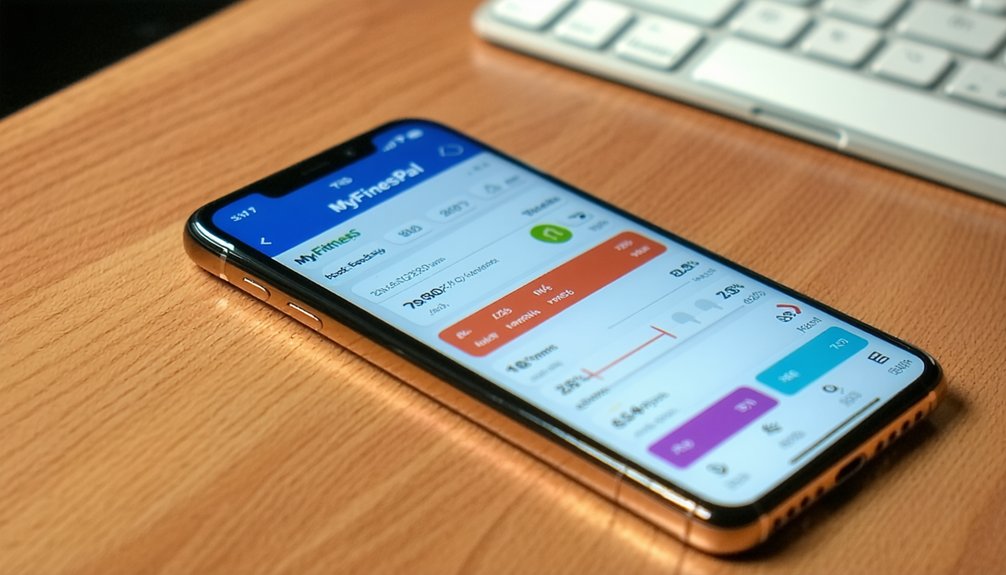
MyFitnessPal is a useful tool for individuals seeking to track their nutrition and fitness progress effectively. To begin using the app, users should first input their basic information, including age, height, weight, and specific fitness goals. This information allows the app to estimate a personalized calorie target, which can guide users in their dietary choices.
Once the initial setup is complete, users can log their meals by utilizing the app’s search function or by accessing its extensive food database. It is important to adjust portion sizes for accuracy, as this will help provide a clearer picture of caloric intake. Users can also save frequent meals as favorites, which simplifies the logging process for commonly consumed foods.
In addition to tracking food intake, MyFitnessPal encourages users to monitor their water consumption and physical activity. If users own a compatible fitness device, they can sync it with the app to obtain a more refined total of their daily caloric expenditure. This integration can provide a comprehensive overview of both intake and expenditure, helping users make informed decisions regarding their health.
Reviewing daily nutrient summaries is a valuable feature, as it allows users to identify any nutritional gaps in their diet. Furthermore, the app includes a recipe entry function, which can be beneficial for individuals involved in shared meal preparation. This feature enables users to calculate the nutritional content of meals they prepare for others.
To track progress effectively, users are advised to check their progress charts on a weekly basis instead of hourly. This approach helps in gaining a more accurate understanding of long-term trends rather than short-term fluctuations. For professionals supporting clients, data export options are available, allowing for the sharing of relevant information in a structured format.
Who Should Try MyFitnessPal App?
MyFitnessPal is a valuable tool for individuals and professionals who want to track calories and nutrition effectively. This app is particularly beneficial for those seeking data-driven insights to support healthier lifestyle choices.
- Healthcare Providers and Coaches: Professionals in the health and fitness industry can utilize MyFitnessPal as a quick and shareable food log. This feature allows them to guide clients toward achieving specific calorie and macronutrient targets. By using the app, they can easily monitor dietary habits and make informed recommendations based on the data collected.
- Community Leaders and Program Coordinators: Those involved in community health initiatives or group fitness programs can benefit from MyFitnessPal’s cross-platform accessibility. The app enables coordinators to track group progress efficiently, fostering a sense of accountability and encouraging consistency among participants. This is particularly useful for programs aimed at collective weight management or nutritional improvement.
- Volunteers and Caregivers: Individuals who assist others with weight management, such as volunteers or caregivers, will find MyFitnessPal’s meal tracking and recipe entry features straightforward and user-friendly. These functionalities allow them to customize meal plans that align with specific dietary needs, making it easier to support someone’s health journey.
MyFitnessPal App Rating and Expert Opinions
MyFitnessPal is widely recognized for its support of professionals, caregivers, and group programs through features such as shareable food logs and comprehensive tracking tools. User ratings for the app are consistently high, averaging around 4.7 on the Apple App Store and 4.4 on Google Play. Expert evaluations highlight several key strengths, including the app’s ease of use, extensive food database, and reliable calorie tracking.
Clinicians and registered dietitians appreciate the cross-platform syncing capabilities and detailed nutrient reports that MyFitnessPal offers. However, some experts have noted limitations when it comes to accommodating therapeutic diets and the removal of certain free features, which may affect usability for specific dietary needs. The pricing structure, as well as some features being behind paywalls, has drawn criticism from users. Nonetheless, independent reviews often emphasize the app’s functionality and accuracy, which are crucial for those involved in nutrition and diet planning.
For professionals working with clients, MyFitnessPal provides practical tools that promote transparency and evidence-based tracking, which can be beneficial for monitoring progress and offering dietary counseling. Overall, the app stands out as a valuable resource in the field of nutrition and fitness.
MyFitnessPal App — Frequently Asked Questions
What is MyFitnessPal app and how does it work?
MyFitnessPal is a nutrition and fitness tracking app that helps users log food, calories, and exercise to reach weight or health goals. It syncs data across devices and integrates with fitness trackers.
Is MyFitnessPal app free or paid?
MyFitnessPal is free to use with core features like calorie tracking. Premium adds advanced tools such as macronutrient goals, insights, and custom meal plans.
How much does MyFitnessPal app cost per month?
The Premium plan costs about $19.99 per month or $79.99 per year, depending on your location and platform.
How to cancel MyFitnessPal subscription?
If subscribed via iOS, cancel through Apple ID → Subscriptions. On Android, cancel via Google Play → Subscriptions. For web purchases, visit myfitnesspal.com → Account Settings → Subscription → Cancel.
Does MyFitnessPal offer personalized meal plans?
Yes. Premium members get meal and nutrition recommendations tailored to their goals and dietary preferences.