


Lifesum is a well-designed food and habit tracker that offers users personalized calorie and macronutrient targets, tailored meal plans, and tools to monitor progress, all while maintaining user-friendly navigation.
The app enables tracking of food intake, hydration levels, weight changes, and physical activity. Additionally, it can sync seamlessly with Apple Health, providing a comprehensive view of health metrics. Users benefit from features such as barcode scanning and various methods for logging meals.
The premium version of Lifesum enhances the user experience by providing more detailed meal plans and macronutrient breakdowns. However, some users have reported inconsistencies in the food database, as well as inaccuracies in the artificial intelligence estimates for calorie counts and nutritional information.
Overall, Lifesum is a versatile tool for those looking to manage their diet and fitness effectively.
For a deeper understanding, continue reading for a detailed analysis of the app’s advantages and disadvantages, along with practical tips for maximizing its use.
What is Lifesum App?
Lifesum is a health and habit-building application that has gained popularity among more than 60 million users worldwide. This app assists individuals in tracking various health-related metrics, including food intake, water consumption, exercise routines, weight, and body measurements. Lifesum stands out by offering personalized meal plans and nutrition guidance tailored to each user’s specific health details and goals.
The app effectively combines tracking capabilities with customized recommendations and habit-forming nudges designed to enhance overall well-being. Utilizing an evidence-based approach, Lifesum calculates calorie and nutrient targets based on user inputs, adjusting these targets for specific objectives such as weight loss. As a potential weight loss app, it balances motivational encouragement with measurable feedback, allowing users to support others—such as clients, family members, or community members—with informed dietary guidance.
Users will find Lifesum’s metrics clear and accessible, while its customizable plans promote sustainable health habits. By focusing on detailed tracking and personalized advice, Lifesum aims to help users make informed decisions regarding their health and lifestyle choices.
Lifesum App Overview
The Lifesum app provides users with a personalized approach to health and wellness by offering tailored calorie and nutrient targets, meal plans, and tracking tools that reflect individual profiles and goals. The app features a user-friendly interface that facilitates onboarding through a brief Life quiz. This quiz helps establish personalized goals concerning daily caloric intake, macronutrient distribution, and hydration levels. Additionally, Lifesum seamlessly syncs with Apple Health, allowing for easy integration of health data.
Users can monitor their food intake, fluid consumption, weight, and habits through barcode scanning or manual entry. While the app provides automated estimates for nutritional values, users should be aware that these estimates may not always be accurate. Lifesum emphasizes the importance of sustainable habit changes rather than punitive measures, making it a supportive tool for individuals who are assisting others or working with clients on health goals.
For those interested in advanced features, Lifesum offers subscription options that include monthly, quarterly, and annual plans. Users can review these costs to determine if the premium features, such as enhanced meal plans and detailed analytics, align with their health objectives and justify the investment.
Lifesum App Features and Benefits
The Lifesum app serves as a comprehensive health toolkit, integrating several features to help users track their food intake, hydration, physical activity, weight, and habits. This multifaceted approach allows individuals to pursue measurable health goals based on data rather than assumptions. The app includes a practical food diary, which enables users to log their meals through various methods, such as barcode scanning, text entries, image uploads, or quick input options. This flexibility is particularly beneficial for volunteers, coaches, and caregivers, who can maintain accurate and reliable records for those they support.
A practical, data-driven health toolkit for tracking meals, hydration, activity, weight, and habits—ideal for caregivers and coaches.
A key feature of the Lifesum app is its macro tracker, which provides detailed insights into macronutrient distribution, specifically carbohydrates, proteins, and fats. By offering personalized macronutrient targets, the app ensures that dietary recommendations are grounded in evidence and actionable guidance. Additionally, the app includes trackers for water intake, exercise routines, weight management, and overall habit formation, which promote consistent and healthy behaviors without inducing feelings of guilt.
The app is designed to assist users in supporting their clients, family members, or community participants by establishing clear health objectives. Users can generate shareable progress reports and customized meal plans, which are essential tools for informing care plans and fostering accountability.
Key features of the Lifesum app include:
- Accurate barcode scanning that facilitates reliable food entries.
- Multiple logging methods that enhance accessibility for different users.
- Customizable macronutrient targets that cater to individual dietary needs.
- Shareable progress reports and meal plans that support collaborative health journeys.
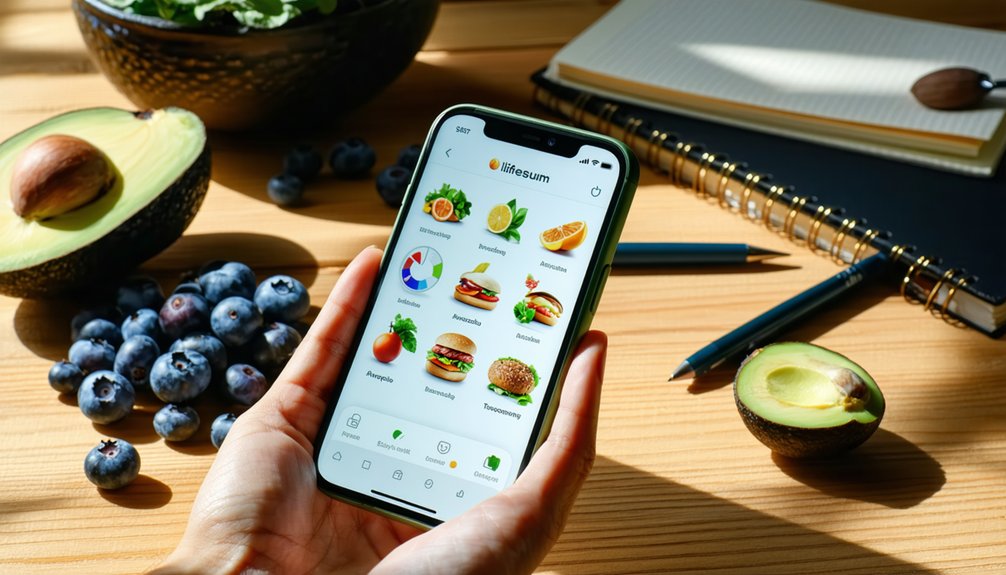
Pros and Cons of Lifesum App
Lifesum is a health and nutrition app that offers a variety of features designed to assist users in tracking their dietary habits and achieving their health goals. While the app is user-friendly and provides positive reinforcement, there are some limitations to consider.
One of Lifesum‘s strengths is its intuitive meal logging system, which allows users to easily input their meals and snacks. The app also includes flexible macro and habit trackers, enabling users to monitor their intake of macronutrients like carbohydrates, proteins, and fats. Additionally, Lifesum provides helpful meal plans tailored to different dietary preferences, which can support users in making healthier food choices.
However, some weaknesses exist. The app relies on AI to estimate nutritional entries, which can lead to inaccuracies. Users may encounter inconsistent results when searching for foods, as the food database may not always contain the specific items they are looking for. The barcode scanner, which is designed to simplify food logging, may also experience occasional errors, prompting users to double-check entries for accuracy.
Lifesum features a clean interface, a straightforward diary for logging food intake, and prompts that encourage users to develop healthy habits. These elements help users support their health goals without feeling judged. User reviews and ratings highlight Lifesum’s strong usability and variety in meal plans, although they also point out issues with estimation errors and missed search results.
For individuals who value community engagement, Lifesum offers encouragement and the ability to share meal plans with others, fostering a supportive environment. Nevertheless, it is essential for users to verify critical entries manually to ensure trust and accuracy in their dietary tracking. Overall, Lifesum presents a balance of helpful tools and some areas needing improvement for a comprehensive health management experience.
Lifesum App Cost and Subscription
If you are considering using the Lifesum app, understanding its cost structure is essential. The app offers a free version that allows users to track basic elements such as food intake, water consumption, and weight management. For those seeking more in-depth features, the premium version provides access to detailed meal plans, macro tracking, and personalized recipes, along with a weekly Life Score™, which evaluates overall health progress.
Consider Lifesum’s free basic tracking, or upgrade to Premium for meal plans, macro tracking, and a weekly Life Score.
Lifesum offers several pricing tiers for the premium subscription: monthly, quarterly, and annual options. The annual subscription is the most cost-effective choice when considering the monthly cost, making it a popular option for users committed to long-term health management. According to user reviews, the app maintains a rating of 4.5 out of 5, indicating that many users find the premium features valuable and beneficial for their health journeys.
For individuals who coach others, whether clients or family members, the premium subscription can be particularly useful. It provides insights and data that can be tailored to support the unique needs of those being coached.
It is important to note that cancellation policies may differ depending on the app store from which the subscription is purchased, so users should familiarize themselves with these policies before committing to a subscription.
Ultimately, your decision on whether to choose the free or premium version should be guided by how much detailed, coaching-grade data you require to assist others in achieving their health goals.
How to Cancel Lifesum App Subscription
If you determine that the premium features of the Lifesum app do not meet your needs, cancelling your subscription is a simple process. However, the method of cancellation depends on where you initially subscribed. To stop future billing while still retaining access until the end of your current billing period, you can cancel through the App Store, Google Play, or directly on Lifesum’s website.
For users who subscribed via iOS, you need to access your Apple ID subscriptions. This can be done by navigating to the Settings app, tapping on your name at the top, selecting “Subscriptions,” and then choosing Lifesum from the list. If you are an Android user, you can cancel your subscription through Google Play by opening the Google Play Store, tapping on your profile icon, selecting “Payments & subscriptions,” and then “Subscriptions” to find Lifesum.
If you subscribed through Lifesum’s website, the cancellation process involves signing into your account, navigating to the billing settings, and following the prompts to cancel. Alternatively, you can email Lifesum’s support team for assistance.
It is advisable to keep receipts of your transactions and note the renewal dates of your subscription to avoid unexpected charges. If you require further assistance, you can reach out to Lifesum’s customer service team or explore community support options for detailed guidance and shared experiences from other users.
Lifesum App Reviews and Ratings
Once you understand how to cancel your Lifesum subscription if necessary, it is beneficial to evaluate how actual users and critics have assessed the app. This evaluation can help you determine whether a subscription is worthwhile. Users frequently commend the app for its clean interface, intuitive diary, and effective calorie counter. However, some critiques highlight issues, such as occasional inaccuracies in the food database and misleading AI estimations.
Critics often point out that Lifesum offers a robust meal planner, particularly within its premium tiers, which is beneficial for those focused on weight loss. Users appreciate practical features, including shopping lists and recipe suggestions, which enhance their overall experience. The average ratings for Lifesum typically range from 4 to 4.5 stars across various app stores, suggesting that the app is generally reliable for everyday tracking of dietary habits.
Positive feedback often mentions the supportive environment, ease of logging meals, and the accuracy of the barcode scanner most of the time. On the other hand, some negative comments focus on inconsistencies in search results and the potential for AI food estimates to mislead users. The value of the premium subscription appears to be mixed, as it largely depends on individual planning needs and preferences. Overall, app store scores and expert reviews tend to align, reinforcing the app’s reputation and effectiveness in promoting healthy eating habits.
Community and Support in Lifesum App
Lifesum serves as a personal tracking tool that also incorporates various community and support features designed to enhance user motivation and facilitate problem-solving. Within the app, users can access frequently asked questions (FAQs) for quick self-help solutions. This resource allows individuals to find answers to common inquiries without needing to reach out to support directly.
For more complex issues, Lifesum provides email support, enabling users to receive direct assistance from the support team. This feature is particularly useful for troubleshooting specific problems related to the app’s functionality. Additionally, social groups within the app foster peer encouragement, allowing users to connect with others who share similar health goals. These groups can provide valuable support and motivation, as members share their experiences and progress.
Lifesum also offers guides that present evidence-based tips for healthy living, which can help users make informed decisions regarding their meal plans and overall wellness. User feedback is an essential component of the app’s development, as it contributes to product improvement and ensures that user needs are addressed in future updates.
Through community interaction, users can mentor their peers, report bugs, or suggest new features, creating a collaborative environment that emphasizes collective wellbeing over individual competition. The support provided by Lifesum is practical and timely, ensuring users have access to the resources they need to achieve their health and wellness goals.
How to Use Lifesum App Effectively
To effectively utilize the Lifesum app, follow a straightforward routine designed to optimize your experience. Begin by establishing clear health goals, which will guide your journey. Next, complete the onboarding quiz with precise health information, as this helps the app tailor its recommendations to your specific needs. Daily usage of the Diary feature is crucial; it allows you to log your meals, water intake, and physical activity. This consistent logging enables the app to track your progress and provide personalized suggestions.
The Lifesum app includes several evidence-based features that enhance its effectiveness. For accuracy in tracking food, utilize the barcode scanning option when logging items. This feature minimizes errors in calorie and nutrient counts. Additionally, you can adjust your macronutrient targets within the Profile section of the app, which allows for a customized dietary approach that aligns with your goals. Regularly reviewing your Life Score™ will also aid in understanding your overall health and guide you in making informed decisions about your lifestyle.
As a user of Lifesum, you can play a supportive role by sharing effective tracking habits and meal plans that respect individual preferences. This collaboration not only fosters community but also encourages adherence to healthy practices. Consider treating Lifesum as a practical tool for weight management, as it promotes sustainable habits without any judgment.
To maximize your use of Lifesum, consider the following tips:
- Log your meals and activities consistently at designated times to maintain routine.
- Prefer using barcode scans for greater precision in tracking nutritional information.
- Employ habit trackers within the app to monitor your water intake and vegetable consumption.
- Share meal plans and helpful tips with peers to create a supportive environment for health improvement.
Who Should Use Lifesum App?
The Lifesum app is designed for individuals seeking a supportive tool that emphasizes habit formation. It is particularly beneficial for those who prefer guided meal plans and straightforward daily tracking, as well as nutrient-focused feedback instead of strict calorie counting. Users who serve others, such as coaches, caregivers, or group wellness program facilitators, may find Lifesum especially valuable. The app provides clear plans and metrics for progress, which can assist in guiding others toward realistic and sustainable lifestyle changes.
Lifesum is also suitable for users who are looking for a balance between nutrition education and gentle accountability. For those interested in recipe ideas for weight loss, the app can serve as a helpful resource. While premium features do not offer an extensive free trial, the basic tracking and barcode scanning tools are still available. These features can benefit hands-on helpers who appreciate practical, evidence-based coaching resources. Overall, Lifesum is a versatile app that can cater to various user needs, focusing on encouraging positive habits and informed dietary choices.
Frequently Asked Questions about Lifesum App
Is Lifesum app free?
Yes. Lifesum is free to download and use with limited features; Premium unlocks more tools and plans.
How much does Lifesum app cost?
Pricing varies by region and plan. Lifesum offers 1-month, 3-month, and annual Premium subscriptions; check the App Store or Google Play for current prices.
Can I use Lifesum without subscription?
Yes. You can use the basic tracker for free; Premium is required for advanced features and meal plans.
How to cancel Lifesum subscription?
If purchased via iOS: cancel in your Apple ID → Subscriptions. If via Android: cancel in Google Play → Subscriptions. If bought on the web: log in at lifesum.com → Manage Subscription → Cancel.
Does Lifesum support personalized diet plans?
Yes. The app offers programs and meal plans tailored to your goals and preferences (e.g., keto, high-protein, Mediterranean).
Is Lifesum a good calorie counter app?
Yes. It includes food logging, macros, barcode scanning, and AI-assisted tracking; effectiveness depends on your input and goals.