

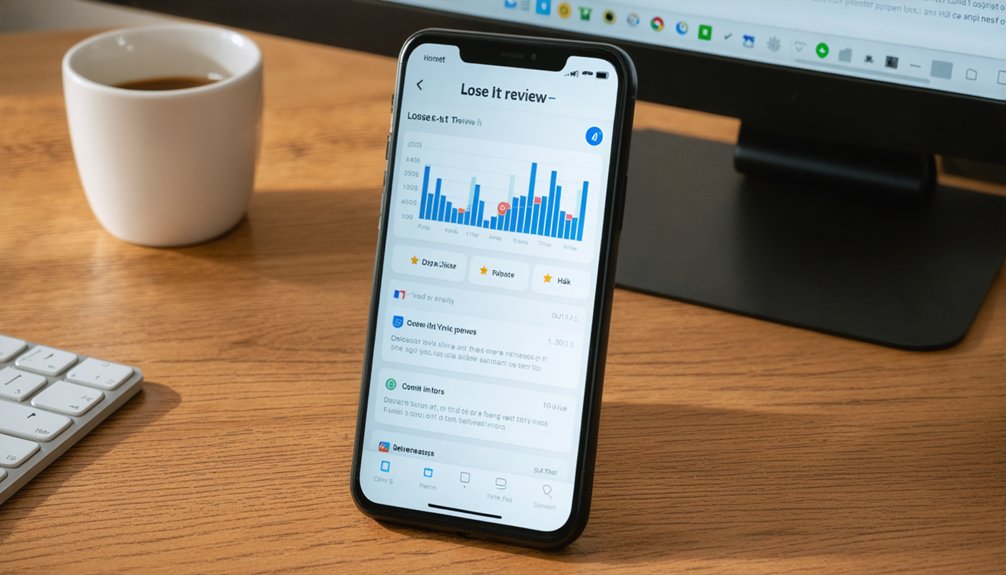
The Honest Lose It App is designed to simplify calorie tracking. Users log their food intake, set a daily calorie target, and benefit from an extensive food database that allows for quick entries.
While the app is user-friendly for beginners, the free version has certain limitations. For example, it restricts macro tracking and may provide inaccurate calorie estimates based on physical activities.
Upgrading to the premium version unlocks additional features such as macro tracking, meal planning tools, and detailed reports, which can be beneficial for those seeking more comprehensive nutritional insights.
However, users should be aware that there may be occasional gaps in the food database and some syncing issues.
If you are interested in learning more about the app’s features and how it compares to other similar applications, further exploration may be warranted.
Introduction to the Lose It! App
The Lose It! app serves as a straightforward tool for individuals looking to lose weight through calorie counting. Instead of focusing on complex macro tracking or detailed fitness metrics, it simplifies the weight loss process by allowing users to log their food intake, monitor their calorie consumption, and set daily calorie goals with ease. The app features a user-friendly interface that facilitates quick logging, which helps users maintain accountability without the need for rigorous precision often found in other weight loss methods.
This app prioritizes achieving a calorie target rather than optimizing macronutrients, making it particularly suitable for those seeking steady and sustainable weight loss. Users can expect a practical starting point if their objective is to lose weight without unnecessary complications. However, it is important to note that while the app offers many valuable features, there may be limitations in its free version, and some users might benefit from additional guidance or resources outside of the app.
How the Lose It! App Works
Lose It! is an app designed primarily for calorie tracking, focusing on simplicity rather than complex macro management. Users can log their food intake, set a daily calorie target, and track their progress towards that goal. The app features a large food database that syncs with individual daily diaries, allowing users to convert their meals into quantifiable numbers for easy comparison against their calorie targets.
To monitor calorie intake, the app includes a calorie counter, which provides an efficient way to stay on track. There are also premium features available that offer expanded views of macronutrients and exercise data, catering to those who desire more detailed insights. The interface is designed for quick data entries, minimizing any barriers that might hinder consistent use.
While the core functionality of Lose It! is straightforward and user-friendly, some users have reported issues such as discrepancies in food database entries and slow syncing times. Despite these challenges, the app aims to serve as a reliable tool for tracking weight loss progress, providing essential features that promote accountable eating habits without overwhelming users with excessive detail. Overall, Lose It! strives to assist individuals in their weight management journeys by offering a clear and manageable method of calorie tracking.

Key Features of Lose It
Lose It offers a range of key features designed for effective calorie tracking, emphasizing user-friendliness and accessibility. The application allows users to begin tracking their caloric intake easily, providing a straightforward process for monitoring progress toward weight loss goals. However, some users may question the depth of the features and the speed of their effectiveness.
One notable feature is the macro tracker, which helps users monitor their intake of macronutrients such as carbohydrates, proteins, and fats. The availability of this feature may differ depending on the subscription plan, so it is advisable for users to check the specifics of what is included in their chosen plan.
Logging food is designed to be quick and efficient, enabling users to record their meals with minimal effort. The app also offers insights into dietary trends, allowing users to make informed adjustments to their goals based on their tracking data. For those who appreciate coaching or detailed reporting, the app provides gentle prompts and reminders, though the reliability of these features may vary.
Users must weigh the convenience of the app against certain limitations, such as the size and accuracy of its food database. The primary focus of Lose It is to facilitate steady and achievable weight loss through self-discipline and accountability. Additionally, the app aims to promote healthier habits, not just for individual users but also within the broader community.
Advantages and Limitations of Lose It! App
The Lose It! app provides a user-friendly approach to weight loss, featuring a quick setup process and an emphasis on calorie management. Users can benefit from its straightforward design, which includes clear calorie goals and accessible tracking features. However, there are notable limitations to consider. For instance, the free version of the app offers limited tracking for macronutrients, which can restrict users who are interested in a more detailed analysis of their dietary intake. Additionally, if individuals rely heavily on the app’s calculations of calories burned through physical activity, their expectations may be skewed, leading to potential inaccuracies in their weight loss journey.
When evaluating the Lose It! app, it is important to balance its pros and cons. The app excels in usability and ease of data entry, making it suitable for those seeking basic tracking capabilities. However, the absence of in-depth nutrient insight may pose challenges for users focused on achieving specific long-term body composition goals. Among its features, the app includes a smart camera that allows users to scan barcodes for easy meal logging, as well as simple meal planning options. Despite these benefits, some users may desire more comprehensive macro guidance to enhance their nutritional understanding.
Lose It! App Pricing and Subscription Options
The pricing and subscription options for the Lose It! app are designed to provide a balance between affordability and access to important weight tracking features. Users can choose between a free version that offers basic functionalities and a premium subscription that includes additional features, such as macro tracking, meal planning, and weekly reports. When deciding which option best supports individual weight loss goals, users should consider the specific features that matter most to them.
The pricing structure of the Lose It! app is straightforward, but some users may still question the overall value of the premium subscription compared to its cost. It is important to evaluate what features are included in the premium version and whether they align with personal or coaching needs. For those working with a coach or supporting someone else’s weight loss journey, the enhanced features of the premium subscription may prove beneficial.
Additionally, potential users are encouraged to compare the Lose It! app’s pricing against similar apps in the market, as well as to be mindful of any hidden fees that may arise. Ultimately, users should ensure that their investment in the app aligns with tangible progress in their weight loss journey, rather than being swayed by marketing claims. By carefully assessing the value versus the features offered, individuals can make informed decisions that support their ongoing efforts in weight management.
Canceling a Lose It! Subscription
If you are considering canceling your Lose It! subscription, it is important to follow a clear and organized process to prevent any unexpected issues or loss of data. The steps for canceling a subscription may not always be straightforward, and understanding data retention policies is crucial. Start by navigating to your account settings or the app store subscription page to disable auto-renewal. After that, check the data retention policies provided by Lose It! If possible, export your logs to ensure that you do not lose any historical data related to your fitness goals.
It is worth noting that some users have experienced delays with refunds or inconsistencies in responses from customer support. Therefore, it is advisable to document important dates and take screenshots of any relevant information. If you currently utilize premium features, it is recommended to switch to the free tier only after you have secured all essential data.
Understanding the implications of your cancellation is vital, as user reviews and ratings indicate a range of experiences regarding the app’s features and support. By carefully exiting the subscription, you can protect your progress and maintain access to valuable information.
Lose It! App User Reviews and Ratings
User reviews for the Lose It! app present a range of opinions, highlighting both positive and negative aspects. Many users appreciate the app’s straightforward approach to calorie tracking, which allows them to easily log their food intake. The database of foods is also noted as a helpful feature, providing a variety of options for users to choose from. However, some users have expressed concerns regarding the consistency of reporting in the app, indicating that they have encountered discrepancies in the data. Additionally, those using the free version of the app have reported limitations in accessing macro nutrient data, which is crucial for users focused on detailed nutritional tracking.
When evaluating the app, it is important to consider real-world experiences alongside the marketing claims made by the developers. While a significant number of users find value in the basic features offered, there are notable critiques regarding the premium version. Some users have reported issues with premium reports that do not function as expected, raising questions about their reliability. Furthermore, the app’s community support features receive positive remarks; however, the reliability of the data provided remains a concern for some users, particularly those who are looking to use the app for coaching purposes.

Community and Support in Lose It! App
The community support feature in the Lose It! app is notable for users seeking motivation and encouragement on their weight management journey. This aspect of the app allows users to communicate with one another, sharing experiences and providing support. Such interactions can help maintain user momentum, especially during periods when individual motivation may decline. However, it is essential to recognize that participation levels can vary significantly. Some discussion threads may come across as transactional, and not every contribution will provide practical or valuable insights.
The platform encourages peer accountability, which can be beneficial for users striving to achieve their weight loss goals. Users can celebrate shared milestones and offer praise to one another, which aligns well with the overall objectives of a weight management application. Despite these advantages, it is advisable for users to verify any advice they receive from community members against their personal weight loss plans or the recommendations from their coaches.
Tips to Get the Most from the Lose It
To maximize your experience with Lose It, it is essential to begin with a well-defined goal and to customize the app’s settings to reflect that objective. This approach can enhance your results by emphasizing practical benefits rather than getting caught up in trends. It is important to find a balance between simplicity and accountability in your weight loss journey. Here are several strategies to refine your process effectively.
First, establish a specific weekly calorie target. Tracking your progress against this target can provide a more comprehensive view of your efforts than focusing solely on daily totals. This method allows for better adjustments and encourages sustained motivation throughout the week.
Next, consider exploring personalized meal plans. These plans should align with your daily schedule and budget, helping you avoid unnecessary complications in your meal preparation. By simplifying your meal choices, you can maintain consistency in your diet, which is crucial for long-term success.
Additionally, using a meal planner designed for weight loss can be beneficial. This tool allows you to batch cook meals in advance, which helps to reduce decision fatigue and ensures that you have healthy options readily available. Planning your meals can save time and make it easier to stick to your calorie goals.
Regularly reviewing your macro balance is also crucial. This involves monitoring the distribution of carbohydrates, proteins, and fats in your diet. Adjustments may be necessary based on your progress and individual needs. It is wise to remain critical of any gaps in data that may arise in the Lose It app, as this can affect your understanding of your dietary habits.
Who Benefits Most from Lose It! App?
The Lose It! app is particularly beneficial for individuals who prefer a straightforward and calorie-focused approach to weight loss. This app is designed for users who do not require advanced macro tracking or performance metrics. It is ideal for those looking to lose weight with minimal effort, as it provides a user-friendly tracking system, a reliable food database, and clear daily goals that do not necessitate expert guidance.
The app emphasizes consistency over precision, allowing users to achieve results by simply logging their food intake rather than meticulously calculating every macro. For individuals who seek support without a significant financial commitment, the free version of the app offers substantial value. Meanwhile, subscribing to the premium version provides additional features such as reminders and detailed reports, which can enhance accountability.
This aspect of the app is particularly advantageous for people who may lack external motivation or encouragement in their weight loss journey. Reviews from users frequently highlight the practical benefits of the app, noting its effectiveness in assisting with weight management. Overall, the Lose It! app caters to those who desire an uncomplicated, effective solution for tracking their dietary habits and achieving weight loss goals.
Frequently Asked Questions about the Lose It! App
Is the Lose It! app free?
Yes. Lose It! is free to download and includes basic calorie tracking, food logging, and goal setting features.
What features does the Lose It! app include?
The app allows you to log meals, track calories, set nutrition goals, scan barcodes, and view detailed progress charts.
Is it worth paying for Lose It! Premium?
For most users, the free version is enough. However, Premium adds deeper insights, macronutrient tracking, custom goals, and integration with fitness devices, which can be valuable for advanced tracking.
What is the difference between the free and premium versions?
The free plan offers basic calorie and weight tracking. Premium adds detailed nutrient analysis, meal planning, water tracking, and device syncing for around 40 US dollars per year.
Comparing Lose It! with Other Weight Loss Apps
When comparing Lose It! to other weight loss applications, it becomes evident that no single app is suitable for every user’s needs. Therefore, it is essential to consider factors such as price, the quality of the database, and the depth of features offered by each app.
| Price / Accessibility | Feature Depth / Database Quality |
|---|---|
| Free trial available; basic logging functionality is solid | The quality of macro tracking and recipe features varies by app |
To assess the overall value of an app, you should evaluate not only the cost but also how effectively the database supports accurate logging and meal planning. Lose It! excels in providing a user-friendly camera feature for logging food items and is particularly focused on calorie counting. However, it may not provide as much detail on macronutrients compared to some of its competitors. If you are looking for a recipe-focused application for weight loss, it is important to determine whether the app’s database and import options align with your specific needs.
For some users, the availability of a free trial allows them to test the app’s suitability before making a financial commitment. Conversely, others may find that the costs associated with switching apps justify the decision to choose a more comprehensive platform. Ultimately, the goal is to provide clear and factual information that helps users make informed choices, prioritizing clarity and utility over marketing hype.
Final Verdict on Lose It! App Review
Lose It! offers a user-friendly, calorie-focused approach to weight management, making it an appealing option for individuals who prefer straightforward tracking methods. Its design emphasizes simplicity, which is beneficial for beginners and those looking to maintain consistent habits. While the app provides essential tools for daily accountability, it does not delve deeply into macronutrient tracking, which may be a drawback for users seeking comprehensive dietary insights.
The app remains budget-friendly, featuring premium options that encourage long-term commitment to weight loss goals. However, it is important to note that there are gaps in the tracking of both macronutrients and micronutrients, which could limit its effectiveness for users with active or specific dietary objectives.
As of 2025, Lose It! continues to receive regular updates, but certain limitations in nutrition tracking persist. This means that while users can expect a reliable experience, they should not anticipate complete accuracy or personalized coaching. The community features and reporting tools available within the app can help maintain user engagement, making it easier to stay motivated over time.